SMS Text Message Program
Last Updated: September 24, 2026
Virtual Wellness Clinic Health sends text messages only to patients who have opted in. This page explains what we send, exactly how a patient gives consent, and how to stop messages at any time.
1. Program Overview
- Program name: Virtual Wellness Clinic
- Who receives messages: Registered patients who opt in from the patient portal
- Message types: Appointment confirmations, appointment reminders, and account login security codes
- Marketing: None. We do not send marketing or promotional text messages.
- Frequency: Varies based on appointments and account activity
- Cost: Message and data rates may apply
- Opt out: Reply STOP at any time
- Help: Reply HELP, or call (801) 871-9168
2. How Patients Opt In
Opt-in happens on our website at vwclinic.health/portal.html. Text messaging is off by default. Consent is optional and is not required to create an account, book an appointment, or receive care.
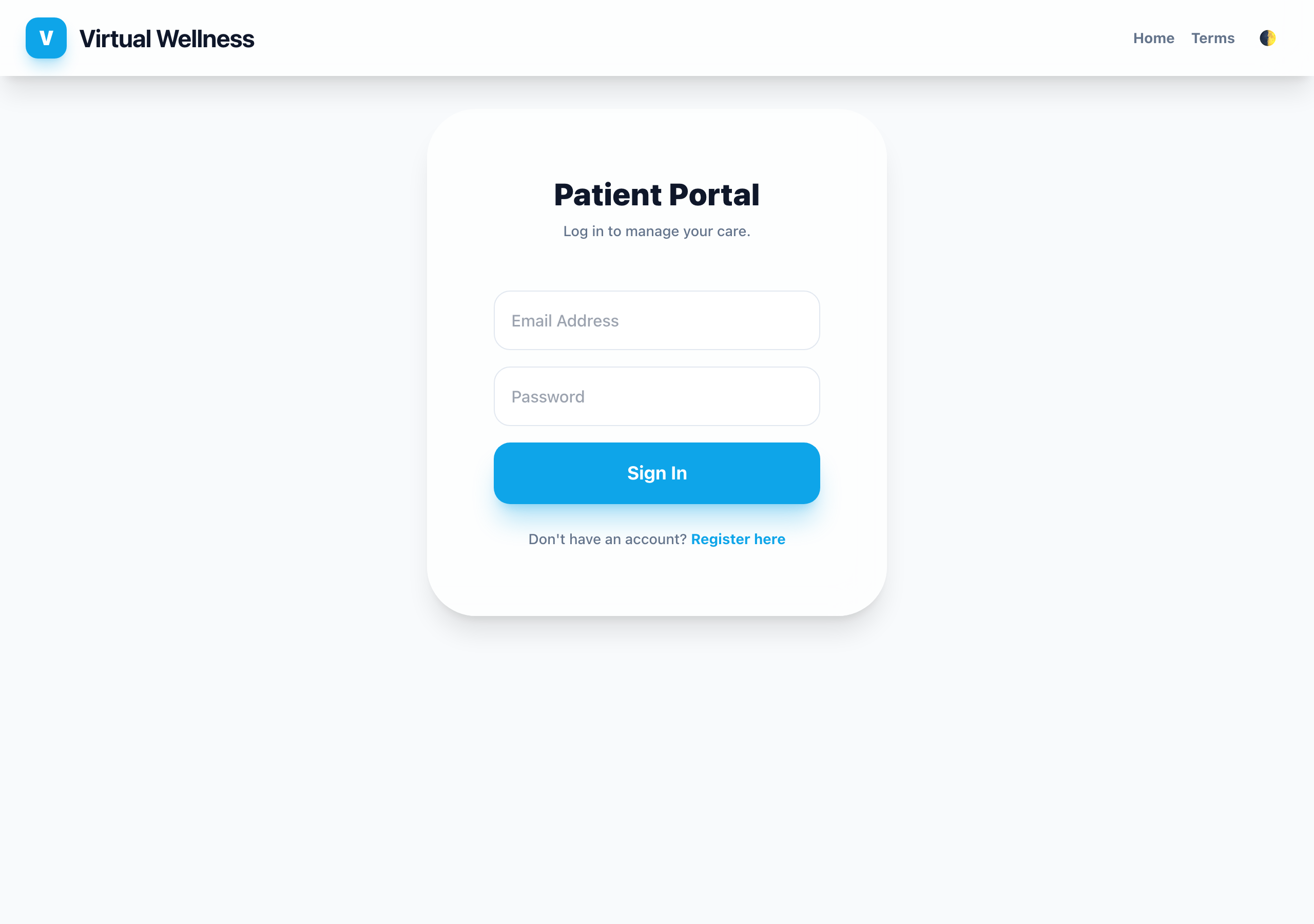
- The patient signs in to the Patient Portal (or registers for an account).
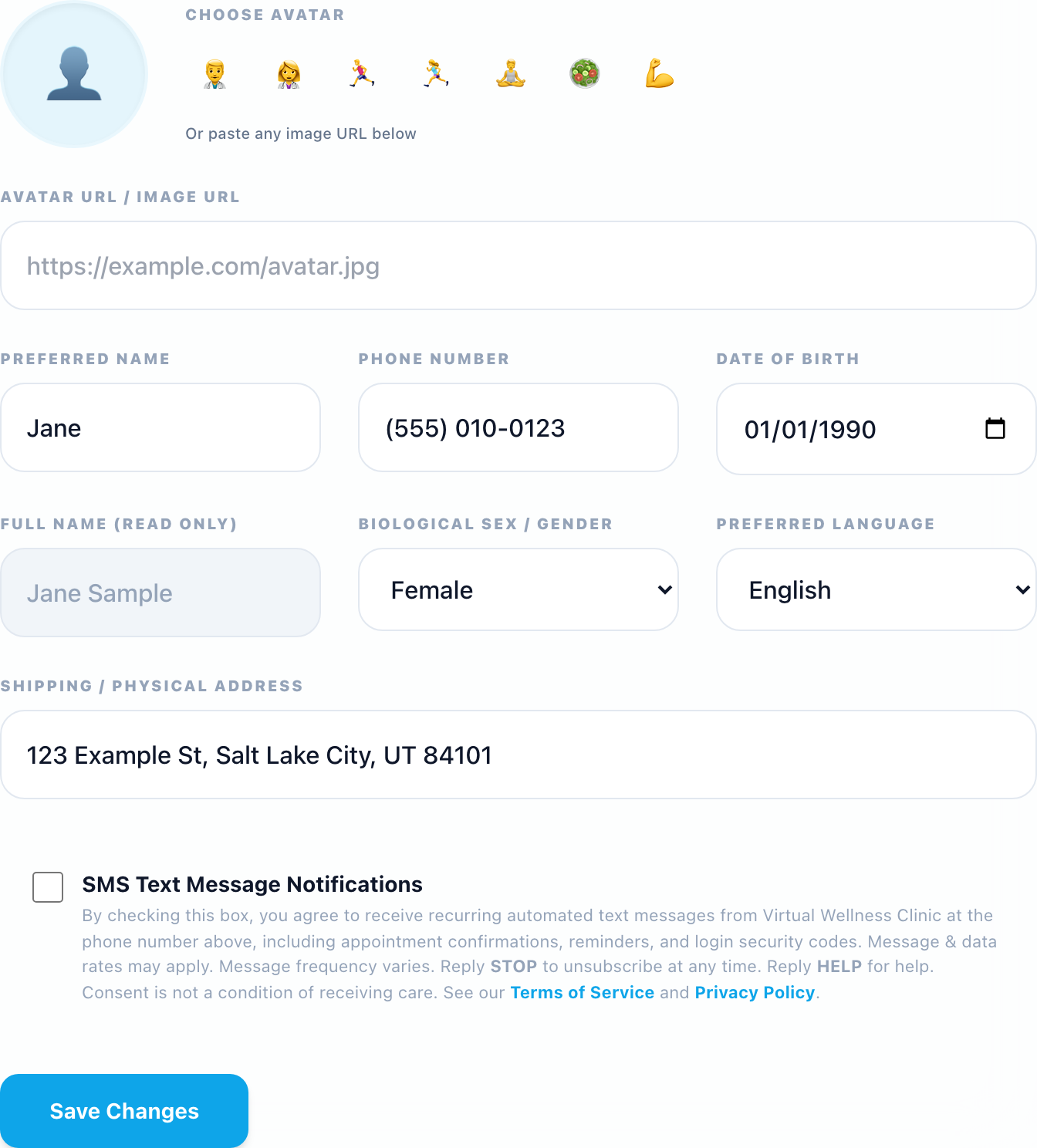
- The patient opens the Settings tab and enters their mobile phone number.
- The patient reads the SMS consent disclosure and checks the unchecked-by-default SMS Text Message Notifications box.
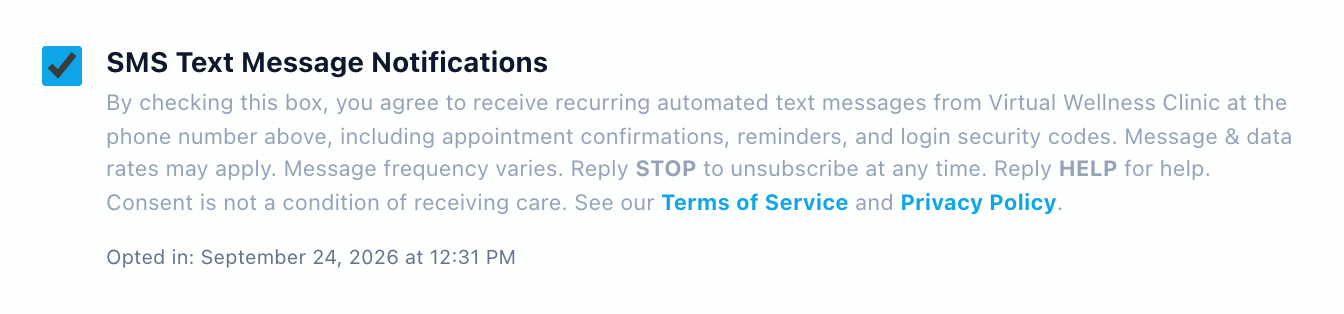
- The patient clicks Save Changes. We record the date and time of consent and display it to the patient.
Consent applies only to the number it was given for. If the phone number is changed (by the patient, during booking, or by clinic staff), text messages are turned off and the consent record is cleared until the patient opts in again for the new number.
The consent disclosure shown next to the checkbox reads:
By checking this box, you agree to receive recurring automated text messages from Virtual Wellness Clinic at the phone number above, including appointment confirmations, reminders, and login security codes. Message & data rates may apply. Message frequency varies. Reply STOP to unsubscribe at any time. Reply HELP for help. Consent is not a condition of receiving care. See our Terms of Service and Privacy Policy.
3. Opt-In Screenshots
The screenshots below show the live opt-in flow. They use a fictional sample patient; no real patient information is shown.

4. Sample Messages
These are the exact message formats patients receive:
Virtual Wellness Clinic: Your appointment on Tue, Oct 6 at 10:00 AM is confirmed. Join: https://vwclinic.health/… Reply STOP to opt out.
Virtual Wellness Clinic: Your appointment is tomorrow at 10:00 AM. Join: https://vwclinic.health/… Reply STOP to opt out.
Virtual Wellness Clinic: Your appointment is in 1 hour at 10:00 AM. Join: https://vwclinic.health/… Reply STOP to opt out.
Virtual Wellness Clinic: Your login verification code is 123456. It expires in 5 minutes.
Virtual Wellness Clinic: appointment confirmations, reminders & login codes. Msg freq varies. Msg & data rates may apply. Reply STOP to opt out. Help: (801) 871-9168 (reply to HELP)
5. How to Opt Out or Get Help
Reply STOP (or STOPALL, UNSUBSCRIBE, CANCEL, END, QUIT) to any message to stop receiving texts. You can also uncheck the SMS box in your portal Settings. Reply START to resubscribe.
Reply HELP to any message, or call (801) 871-9168. Mobile carriers are not liable for delayed or undelivered messages.
6. Privacy
No mobile information will be shared with third parties or affiliates for marketing or promotional purposes. Text messaging originator opt-in data and consent will not be shared with any third parties. See our Privacy Policy and Terms of Service.